- New Arrivals
- Wall Art
- Rugs
- Bedding
- Pillows
- Faucets
- Bathroom
- Kitchen
- Decor
-
Guides & Answers
- Bathroom Questions
-
Vessel Sinks
- The Complete Guide to Vessel Sinks for Bathrooms
- What is a vessel sink?
- Are vessel sinks still in style?
- Vessel sink pros and cons
- Are vessel sinks good for small bathrooms?
- Are vessel sinks good for kids?
- Do vessel sinks break easily?
- What is the best material for a vessel sink?
- Stone resin vessel sinks and what to know before buying
- Vessel sink or undermount sink, which is better?
- Vessel Sink Sizes and How to Pick the Right One
- What size vessel sink fits a 24 inch vanity?
- What size vessel sink fits a 30 inch vanity?
- What size vessel sink fits a 36 inch vanity?
- How much counter space does a vessel sink need?
- How deep should a vessel sink be?
- Round or rectangular vessel sink, which works better?
- Vessel Sink Height, Vanity Height and Faucet Reach Explained
- How tall should a vanity be for a vessel sink?
- What is the standard height of a vessel sink?
- How far should a vessel sink sit from the wall?
- How far should a vessel sink sit from the front edge of the counter?
- What faucet works with a vessel sink?
- How high should the faucet be above a vessel sink?
- Can you use a regular faucet with a vessel sink?
- Can you use a wall mounted faucet with a vessel sink?
- Where should the faucet sit next to a vessel sink?
- Do vessel sinks splash more than regular sinks?
- How to stop a vessel sink from splashing
- How to Install a Vessel Sink Step by Step
- What size hole do you cut for a vessel sink?
- Do vessel sinks need a mounting ring?
- Do vessel sinks need silicone underneath?
- How is a vessel sink held in place?
- Can a vessel sink be recessed into the counter?
- Can you put a vessel sink on any countertop?
- Can you put a vessel sink on a wood countertop?
- Can you put a vessel sink on a dresser?
- What kind of drain does a vessel sink need?
- Do vessel sinks have an overflow?
- What happens if a sink has no overflow?
- Do vessel sinks need a special P trap?
- How to replace an undermount sink with a vessel sink
- How to remove a vessel sink without damage
- How to Clean and Care for a Vessel Sink
- Are vessel sinks hard to keep clean?
- How to clean around the base of a vessel sink
- Why does my vessel sink drain slowly?
- Why does my vessel sink wobble?
- How to fix a loose vessel sink
-
Glass Vessel Sinks
- Glass Vessel Sinks: Strength, Care and Buying Guide
- Are glass vessel sinks durable?
- Can a glass vessel sink crack from hot water?
- What is tempered glass in a bathroom sink?
- How thick should a glass vessel sink be?
- Do glass sinks show water spots?
- How to clean a glass vessel sink without streaks
- How to remove hard water stains from a glass sink
- Can you use bleach on a glass sink?
- Do glass vessel sinks scratch?
- Are glass vessel sinks safe with kids?
- What drain works with a glass vessel sink?
- Do glass vessel sinks need a mounting ring?
- Are colored glass sinks painted or solid color?
- Frosted or clear glass sink, which hides marks better?
-
Ceramic Vessel Sinks
- Ceramic Vessel Sinks: Materials, Care and Buying Guide
- Ceramic or porcelain sink, what is the difference?
- Are ceramic vessel sinks durable?
- Do ceramic sinks chip easily?
- How to fix a chip in a ceramic sink
- Do ceramic sinks stain?
- How to clean a ceramic sink without scratching the glaze
- How to remove rust stains from a ceramic sink
- Can you use bleach on a ceramic sink?
- Why does my ceramic sink have hairline cracks?
- Are matte ceramic sinks harder to clean?
- Do black ceramic sinks show water spots?
- Are gold and patterned ceramic sinks hard to maintain?
- How heavy is a ceramic vessel sink?
- Ceramic or glass vessel sink, which is better?
-
Bathroom Sinks
- How to Choose a Bathroom Sink: Types, Sizes and Materials
- What are the types of bathroom sinks?
- What is the standard bathroom sink size?
- How deep should a bathroom sink be?
- What is the best material for a bathroom sink?
- What size sink fits a small bathroom?
- How much space do you need between two bathroom sinks?
- Why does my bathroom sink smell?
- Why does my bathroom sink gurgle?
- Why is my bathroom sink draining slowly?
- How to unclog a bathroom sink without chemicals
- How to seal a bathroom sink to the countertop
- What is a pedestal sink?
- Pedestal sink pros and cons
- How is a pedestal sink attached to the wall?
- Can you replace a pedestal sink with a vanity?
-
Wall Mounted Sinks
- Wall Mounted Sinks: Installation, Support and Height Guide
- How much weight can a wall mounted sink hold?
- Do wall mounted sinks need extra support in the wall?
- Can you install a wall mounted sink on drywall?
- How high should a wall mounted sink be?
- What is an ADA compliant bathroom sink height?
- How to hide the pipes under a wall mounted sink
- Are wall mounted sinks good for small bathrooms?
- Undermount and Drop In Sinks
-
Bathroom Faucets
- How to Choose a Bathroom Faucet: The Complete Guide
- What are the types of bathroom faucets?
- What is a vessel faucet?
- What is faucet spout reach and why does it matter?
- What is a good flow rate for a bathroom faucet?
- What does GPM mean on a faucet?
- How long does a bathroom faucet last?
- Are brass faucets better than zinc faucets?
- What does lead free faucet mean?
- One handle or two handle bathroom faucet, which is better?
- What should you know before buying a wall mounted bathroom faucet?
- Bathroom Faucet Types and Hole Configurations Explained
- How do I know what faucet fits my sink?
- How to measure faucet hole spacing
- What is a centerset faucet?
- What is the difference between centerset and widespread faucets?
- What is a deck plate and when do you need one?
- How high should a wall mounted faucet be above the sink?
- How to Install a Bathroom Faucet Step by Step
- Can I install a bathroom faucet myself?
- What supply lines does a bathroom faucet need?
- What size are bathroom faucet supply lines?
- Do new faucets come with a drain?
- Do you need plumber's putty to install a faucet?
- How to remove an old bathroom faucet that is stuck
- How to tighten a loose faucet
- How to fix hot and cold reversed on a faucet
- How to Fix a Leaking or Dripping Bathroom Faucet
- Why is my bathroom faucet dripping?
- Why does my faucet leak at the base?
- Why does my faucet handle feel loose?
- Why is my bathroom faucet water pressure low?
- Why is my faucet making a whistling noise?
- Why does my faucet sputter?
- Why does water come out of my faucet cloudy?
- How to replace a faucet cartridge
- What is a ceramic disc cartridge?
- What is a faucet aerator?
- How to clean a faucet aerator
- Bathroom Faucet Finishes Compared
- Does a matte black faucet show water spots?
- Does a matte black faucet finish wear off?
- Does a brushed gold faucet tarnish?
- Brushed nickel or chrome faucet, which is easier to keep clean?
- What is oil rubbed bronze?
- Should the faucet finish match the other bathroom hardware?
- How to clean a matte black faucet
- How to clean a brushed gold faucet
- How to remove hard water buildup from a faucet
- How to remove green buildup on a faucet
-
Waterfall Bathroom Faucets
- Waterfall Bathroom Faucets: How They Work and How to Choose
- What is a waterfall faucet?
- Are waterfall faucets practical?
- Do waterfall faucets splash?
- Do waterfall faucets use more water?
- Why is my waterfall faucet flow weak?
- How to clean a waterfall faucet spout
- Do waterfall faucets get moldy?
- Do waterfall faucets work with low water pressure?
- What sink works best with a waterfall faucet?
- Are waterfall faucets hard to install?
- Do waterfall faucets have aerators?
- Glass or metal waterfall spout, which lasts longer?
- Are LED waterfall faucets safe?
- How do LED faucets work without batteries?
-
Single Hole Bathroom Faucets
- Single Hole Bathroom Faucets: Fit, Install and Buying Guide
- What is a single hole faucet?
- Can you put a single hole faucet in a three hole sink?
- What size hole does a single hole faucet need?
- Are single handle faucets reliable?
- How does a single handle faucet mix hot and cold?
- How to adjust the temperature limit on a single handle faucet
- Why is my single handle faucet hard to turn?
- How to fix a single handle faucet that drips
- Single hole or centerset faucet, which should I buy?
-
Widespread Bathroom Faucets
- Widespread Bathroom Faucets: Spacing, Install and Buying Guide
- What is a widespread faucet?
- What is the spacing for a widespread faucet?
- Can you put a widespread faucet in a 4 inch sink?
- Are widespread faucets harder to install?
- Do widespread faucets leak more?
- How to align the handles on a widespread faucet
- Why is one handle on my faucet hard to turn?
- Are widespread faucets easier to clean around?
- Widespread or single hole faucet, which looks better on a small vanity?
-
Bathtub Faucets
- Bathtub Faucets: Types, Sizing and Buying Guide
- What are the types of bathtub faucets?
- What flow rate do you need to fill a bathtub?
- How long does it take to fill a bathtub?
- How high should a tub spout be above the tub?
- Why is my bathtub faucet dripping?
- Why does water come from the spout when the shower is on?
- How to replace a tub spout
- What is a tub spout diverter?
- Can you add a hand shower to a bathtub faucet?
- Wall mounted or deck mounted tub faucet, which is better?
- Freestanding Tub Fillers: Installation and Planning Guide
- What is a tub filler?
- How does a freestanding tub filler connect to the water lines?
- How far should a tub filler be from the tub?
-
Shower Systems
- How to Choose a Shower System: The Complete Guide
- What is a shower system?
- What comes in a shower system set?
- What is a shower diverter?
- What is the difference between a 2 way and 3 way diverter?
- Can you run the rain head and body jets at the same time?
- Exposed or concealed shower system, which is easier to install?
- Are LED shower heads safe?
- How do LED shower heads get power?
- Are shower systems with Bluetooth speakers safe in water?
- What is a digital shower display?
- Thermostatic or Pressure Balance Shower Valve: How to Choose
- What is a thermostatic shower valve?
- What is a pressure balance valve?
- Why does my shower go hot and cold?
- Why is my shower only lukewarm?
- Why does my thermostatic valve not get hot enough?
- How to set the temperature limit on a shower valve
- How to clean and descale a shower valve cartridge
- How to Install a Shower System: Planning and Rough In
- What is a rough in valve?
- Are shower valves universal?
- Can you replace shower trim without replacing the valve?
- How high should shower controls be?
- How high should body jets be?
- How high should a hand shower bar be?
- What size water line does a shower system need?
- Can I install a shower system myself?
- Do I need a permit to replace a shower valve?
- Shower Water Pressure Problems and How to Fix Them
- What water pressure do you need for a rain shower?
- What water pressure do you need for body jets?
- How much hot water does a shower system use?
- What size water heater do you need for a rain shower with body jets?
- Can a tankless water heater run a shower system?
- Why is my shower head dripping after I turn it off?
- Why is there a banging noise when I turn off the shower?
- Rain Shower Systems: Sizes, Ceiling or Wall Mount and Planning
- How high should a rain shower head be?
- What size rain shower head should I get?
- Is a 12 inch or 16 inch rain shower head better?
- Do rain shower heads have good pressure?
- Ceiling mounted or wall mounted rain shower, which is better?
- Can you install a ceiling shower head without attic access?
- What is a flush mount shower head?
-
Shower Heads
- How to Choose a Shower Head: Types, Flow and Fit
- What is the standard shower head thread size?
- Are all shower heads universal?
- How to change a shower head
- Do you need thread tape for a shower head?
- What is a good GPM for a shower head?
- How to increase shower head pressure
- Is it safe to remove a shower head flow restrictor?
- How to clean a clogged shower head
- How to remove limescale from a shower head
- Why is my shower head leaking at the connection?
- How often should you replace a shower head?
- What is a handheld shower head good for?
- What is a waterfall shower head?
- Do filtered shower heads really work?
-
Shower Doors
- Sliding Shower Doors: Sizes, Glass and Buying Guide
- How to measure for a sliding shower door
- What is a frameless shower door?
- How thick should shower door glass be?
- Is shower door glass tempered?
- Can a shower door shatter on its own?
- How to keep a glass shower door clean
- How to remove soap scum from shower glass
- Why is my sliding shower door hard to move?
- How to stop a shower door from leaking at the bottom
-
Drains and Plumbing Parts
- Bathroom Sink Drains Explained: Types, Sizes and Overflow
- What is a pop up drain?
- What is the difference between a drain with overflow and without overflow?
- How do I know if my sink has an overflow?
- What size is a bathroom sink drain?
- Are bathroom sink drains universal?
- What is a grid drain?
- What is a P trap and why does it matter?
- What size P trap for a bathroom sink?
- What is a tip toe tub drain?
- What is a tub overflow plate?
- What does a shower flow control valve do?
- When should you replace the shut off valve under a sink?
- How to Install a Pop Up Drain Without Leaks
- Should you use plumber's putty or silicone on a sink drain?
- Why is my pop up drain stuck?
- Why does my sink drain leak underneath?
- How to remove a sink drain stopper to clean it
- How to replace a bathtub drain trim
-
Floor Drains
- Shower Floor Drains: Linear or Square and How to Choose
- What is a linear shower drain?
- Where should a linear drain go in a shower?
- What size shower drain do I need?
- How long should a linear drain be?
- Do linear drains clog more?
- How to clean a linear shower drain
- What is a tile insert shower drain?
- Brass or stainless steel shower drain, which lasts longer?
- Why does my shower drain smell?
- How much slope does a shower floor need for a linear drain?
-
Bathroom Accessories
- Bathroom Hardware Placement Guide: Heights and Spacing for Every Piece
- What bathroom accessories do you really need?
- Should bathroom accessories match the faucet finish?
- Can you mix metal finishes in a bathroom?
- How to keep bathroom hardware from rusting
- How to mount bathroom hardware on tile without cracking it
- How high should a toilet paper holder be?
- How far should a toilet paper holder be from the toilet?
- How to fix a loose toilet paper holder
- Wall mounted or freestanding toilet paper holder, which is better?
- How high should robe hooks be?
- How much weight can adhesive bathroom hooks hold?
- Where to put shelves in a small bathroom?
- How to stop bar soap from getting mushy
- What makes a good soap dish?
- How to clean a ceramic soap dish
- Do built in sink soap dispensers work well?
- How to refill a countertop soap dispenser pump
- What is a handheld bidet sprayer and how does it connect?
- Towel Bars and Racks
- Bathroom Accessory Sets
-
Bathroom Care and Planning
- Hard Water in the Bathroom: Stains, Scale and What Actually Works
- What is hard water and how does it damage fixtures?
- How to remove limescale without damaging the finish
- Which cleaners should you never use on bathroom fixtures?
- Is vinegar safe on bathroom fixtures?
- How to prevent water spots on bathroom fixtures
- How to Plan a Bathroom Update: What to Replace First and What to Measure
- What order should you install bathroom fixtures in?
- How much does it cost to replace a bathroom faucet and sink?
- When should you call a plumber and when can you do it yourself?
- Kitchen Questions
-
Kitchen Faucets
- How to Choose a Kitchen Faucet: The Complete Guide
- What are the types of kitchen faucets?
- How tall should a kitchen faucet be?
- How to measure spout reach for a kitchen sink
- What is a good flow rate for a kitchen faucet?
- How long does a kitchen faucet last?
- Can you put a kitchen faucet in a bathroom?
- What is a pot filler and do you need one?
- What is a bridge kitchen faucet?
- What is a gooseneck faucet?
- What is a commercial style spring faucet?
- One handle or two handle kitchen faucet, which is better?
- What is a waterfall kitchen faucet?
- Are waterfall kitchen faucets worth it?
- What is a kitchen faucet with a digital temperature display?
- How to stop a kitchen faucet from splashing
- How to Install a Kitchen Faucet Step by Step
- What is the standard kitchen faucet hole size?
- How many holes does a kitchen faucet need?
- Can I install a kitchen faucet myself?
- Do kitchen faucets come with supply lines?
- How to remove a kitchen faucet that is stuck
- How to tighten a kitchen faucet nut under the sink
- How to Fix a Leaking Kitchen Faucet
- Why is my kitchen faucet dripping?
- Why does my kitchen faucet leak under the sink?
- Why does my kitchen faucet handle leak?
- Why is my kitchen faucet loose at the base?
- Why is my kitchen faucet water pressure low?
- How to replace a kitchen faucet cartridge
- How to clean a kitchen faucet aerator
- Kitchen Faucet Finishes and Materials Compared
- Does a matte black kitchen faucet hold up?
- Does a gold kitchen faucet fade?
- What is a stainless steel faucet made of?
-
Pull Down Kitchen Faucets
- Pull Down Kitchen Faucets: How They Work and How to Choose
- What is the difference between pull down and pull out faucets?
- Why does my pull down faucet not retract?
- How to fix a pull down faucet hose that leaks
- How to replace a pull down faucet spray head
- How does the weight on a pull down hose work?
- Why does my pull down sprayer have low pressure?
- How long is a pull down faucet hose?
- Do magnetic docking faucets work better?
- Are pull down faucets good for small sinks?
-
Touch and Sensor Kitchen Faucets
- Touch and Sensor Kitchen Faucets: How They Work and What to Expect
- How do touch kitchen faucets work?
- How do touchless sensor faucets work?
- Do touch faucets need electricity?
- How long do the batteries last in a touch faucet?
- Do touch faucets work when the power is out?
- Why does my touch faucet turn on by itself?
- Why did my touch faucet stop working?
- Can you use a touch faucet manually?
- Are touch faucets worth it?
- All guides and answers
- Log in
FREE SHIPPING OVER $20010% off code: HOME10Buy Now Pay Later AVAILABLE AT CHECKOUT

- New Arrivals
- Wall Art ▾
- Rugs
- Bedding ▾
- Pillows ▾
- Faucets ▾
-
Bathroom
▾
- Bathroom Sinks
- Vessel Sinks
- Glass Vessel Sinks
- Ceramic Vessel Sinks
- Wall Mounted Sinks
- Showers
- Shower Systems
- Shower Heads
- Shower Doors
- Bath Accessories
- Hardware Sets
- Towel Bars and Racks
- Toilet Paper Holders
- Hooks and Shelves
- Soap Dishes and Dispensers
- Towels
- Bidet Sprayers
- Drains and Plumbing Parts
- Kitchen ▾
- Decor ▾
-
Guides & Answers
▾
Bathroom Questions
Vessel Sinks 50Bathroom Questions › Vessel Sinks
The Complete Guide to Vessel Sinks for BathroomsWhat is a vessel sink?Are vessel sinks still in style?Vessel sink pros and consAre vessel sinks good for small bathrooms?Are vessel sinks good for kids?Do vessel sinks break easily?What is the best material for a vessel sink?Stone resin vessel sinks and what to know before buyingVessel sink or undermount sink, which is better?Vessel Sink Sizes and How to Pick the Right OneWhat size vessel sink fits a 24 inch vanity?What size vessel sink fits a 30 inch vanity?What size vessel sink fits a 36 inch vanity?How much counter space does a vessel sink need?How deep should a vessel sink be?Round or rectangular vessel sink, which works better?Vessel Sink Height, Vanity Height and Faucet Reach ExplainedHow tall should a vanity be for a vessel sink?What is the standard height of a vessel sink?How far should a vessel sink sit from the wall?How far should a vessel sink sit from the front edge of the counter?What faucet works with a vessel sink?How high should the faucet be above a vessel sink?Can you use a regular faucet with a vessel sink?Can you use a wall mounted faucet with a vessel sink?Where should the faucet sit next to a vessel sink?Do vessel sinks splash more than regular sinks?How to stop a vessel sink from splashingHow to Install a Vessel Sink Step by StepWhat size hole do you cut for a vessel sink?Do vessel sinks need a mounting ring?Do vessel sinks need silicone underneath?How is a vessel sink held in place?Can a vessel sink be recessed into the counter?Can you put a vessel sink on any countertop?Can you put a vessel sink on a wood countertop?Can you put a vessel sink on a dresser?What kind of drain does a vessel sink need?Do vessel sinks have an overflow?What happens if a sink has no overflow?Do vessel sinks need a special P trap?How to replace an undermount sink with a vessel sinkHow to remove a vessel sink without damageGlass Vessel Sinks 15Bathroom Questions › Glass Vessel Sinks
Glass Vessel Sinks: Strength, Care and Buying GuideAre glass vessel sinks durable?Can a glass vessel sink crack from hot water?What is tempered glass in a bathroom sink?How thick should a glass vessel sink be?Do glass sinks show water spots?How to clean a glass vessel sink without streaksHow to remove hard water stains from a glass sinkCan you use bleach on a glass sink?Do glass vessel sinks scratch?Are glass vessel sinks safe with kids?What drain works with a glass vessel sink?Do glass vessel sinks need a mounting ring?Are colored glass sinks painted or solid color?Frosted or clear glass sink, which hides marks better?Ceramic Vessel Sinks 15Bathroom Questions › Ceramic Vessel Sinks
Ceramic Vessel Sinks: Materials, Care and Buying GuideCeramic or porcelain sink, what is the difference?Are ceramic vessel sinks durable?Do ceramic sinks chip easily?How to fix a chip in a ceramic sinkDo ceramic sinks stain?How to clean a ceramic sink without scratching the glazeHow to remove rust stains from a ceramic sinkCan you use bleach on a ceramic sink?Why does my ceramic sink have hairline cracks?Are matte ceramic sinks harder to clean?Do black ceramic sinks show water spots?Are gold and patterned ceramic sinks hard to maintain?How heavy is a ceramic vessel sink?Ceramic or glass vessel sink, which is better?Bathroom Sinks 16Bathroom Questions › Bathroom Sinks
How to Choose a Bathroom Sink: Types, Sizes and MaterialsWhat are the types of bathroom sinks?What is the standard bathroom sink size?How deep should a bathroom sink be?What is the best material for a bathroom sink?What size sink fits a small bathroom?How much space do you need between two bathroom sinks?Why does my bathroom sink smell?Why does my bathroom sink gurgle?Why is my bathroom sink draining slowly?How to unclog a bathroom sink without chemicalsHow to seal a bathroom sink to the countertopWhat is a pedestal sink?Pedestal sink pros and consHow is a pedestal sink attached to the wall?Can you replace a pedestal sink with a vanity?Wall Mounted Sinks 8Bathroom Questions › Wall Mounted Sinks
Wall Mounted Sinks: Installation, Support and Height GuideHow much weight can a wall mounted sink hold?Do wall mounted sinks need extra support in the wall?Can you install a wall mounted sink on drywall?How high should a wall mounted sink be?What is an ADA compliant bathroom sink height?How to hide the pipes under a wall mounted sinkAre wall mounted sinks good for small bathrooms?Undermount and Drop In Sinks 6Bathroom Questions › Undermount and Drop In Sinks
Bathroom Faucets 50Bathroom Questions › Bathroom Faucets
How to Choose a Bathroom Faucet: The Complete GuideWhat are the types of bathroom faucets?What is a vessel faucet?What is faucet spout reach and why does it matter?What is a good flow rate for a bathroom faucet?What does GPM mean on a faucet?How long does a bathroom faucet last?Are brass faucets better than zinc faucets?What does lead free faucet mean?One handle or two handle bathroom faucet, which is better?What should you know before buying a wall mounted bathroom faucet?Bathroom Faucet Types and Hole Configurations ExplainedHow do I know what faucet fits my sink?How to measure faucet hole spacingWhat is a centerset faucet?What is the difference between centerset and widespread faucets?What is a deck plate and when do you need one?How high should a wall mounted faucet be above the sink?How to Install a Bathroom Faucet Step by StepCan I install a bathroom faucet myself?What supply lines does a bathroom faucet need?What size are bathroom faucet supply lines?Do new faucets come with a drain?Do you need plumber's putty to install a faucet?How to remove an old bathroom faucet that is stuckHow to tighten a loose faucetHow to fix hot and cold reversed on a faucetHow to Fix a Leaking or Dripping Bathroom FaucetWhy is my bathroom faucet dripping?Why does my faucet leak at the base?Why does my faucet handle feel loose?Why is my bathroom faucet water pressure low?Why is my faucet making a whistling noise?Why does my faucet sputter?Why does water come out of my faucet cloudy?How to replace a faucet cartridgeWhat is a ceramic disc cartridge?What is a faucet aerator?How to clean a faucet aeratorBathroom Faucet Finishes ComparedDoes a matte black faucet show water spots?Does a matte black faucet finish wear off?Does a brushed gold faucet tarnish?Brushed nickel or chrome faucet, which is easier to keep clean?What is oil rubbed bronze?Should the faucet finish match the other bathroom hardware?How to clean a matte black faucetHow to clean a brushed gold faucetHow to remove hard water buildup from a faucetHow to remove green buildup on a faucetWaterfall Bathroom Faucets 15Bathroom Questions › Waterfall Bathroom Faucets
Waterfall Bathroom Faucets: How They Work and How to ChooseWhat is a waterfall faucet?Are waterfall faucets practical?Do waterfall faucets splash?Do waterfall faucets use more water?Why is my waterfall faucet flow weak?How to clean a waterfall faucet spoutDo waterfall faucets get moldy?Do waterfall faucets work with low water pressure?What sink works best with a waterfall faucet?Are waterfall faucets hard to install?Do waterfall faucets have aerators?Glass or metal waterfall spout, which lasts longer?Are LED waterfall faucets safe?How do LED faucets work without batteries?Single Hole Bathroom Faucets 10Bathroom Questions › Single Hole Bathroom Faucets
Single Hole Bathroom Faucets: Fit, Install and Buying GuideWhat is a single hole faucet?Can you put a single hole faucet in a three hole sink?What size hole does a single hole faucet need?Are single handle faucets reliable?How does a single handle faucet mix hot and cold?How to adjust the temperature limit on a single handle faucetWhy is my single handle faucet hard to turn?How to fix a single handle faucet that dripsSingle hole or centerset faucet, which should I buy?Widespread Bathroom Faucets 10Bathroom Questions › Widespread Bathroom Faucets
Widespread Bathroom Faucets: Spacing, Install and Buying GuideWhat is a widespread faucet?What is the spacing for a widespread faucet?Can you put a widespread faucet in a 4 inch sink?Are widespread faucets harder to install?Do widespread faucets leak more?How to align the handles on a widespread faucetWhy is one handle on my faucet hard to turn?Are widespread faucets easier to clean around?Widespread or single hole faucet, which looks better on a small vanity?Bathtub Faucets 15Bathroom Questions › Bathtub Faucets
Bathtub Faucets: Types, Sizing and Buying GuideWhat are the types of bathtub faucets?What flow rate do you need to fill a bathtub?How long does it take to fill a bathtub?How high should a tub spout be above the tub?Why is my bathtub faucet dripping?Why does water come from the spout when the shower is on?How to replace a tub spoutWhat is a tub spout diverter?Can you add a hand shower to a bathtub faucet?Wall mounted or deck mounted tub faucet, which is better?Shower Systems 45Bathroom Questions › Shower Systems
How to Choose a Shower System: The Complete GuideWhat is a shower system?What comes in a shower system set?What is a shower diverter?What is the difference between a 2 way and 3 way diverter?Can you run the rain head and body jets at the same time?Exposed or concealed shower system, which is easier to install?Are LED shower heads safe?How do LED shower heads get power?Are shower systems with Bluetooth speakers safe in water?What is a digital shower display?Thermostatic or Pressure Balance Shower Valve: How to ChooseWhat is a thermostatic shower valve?What is a pressure balance valve?Why does my shower go hot and cold?Why is my shower only lukewarm?Why does my thermostatic valve not get hot enough?How to set the temperature limit on a shower valveHow to clean and descale a shower valve cartridgeHow to Install a Shower System: Planning and Rough InWhat is a rough in valve?Are shower valves universal?Can you replace shower trim without replacing the valve?How high should shower controls be?How high should body jets be?How high should a hand shower bar be?What size water line does a shower system need?Can I install a shower system myself?Do I need a permit to replace a shower valve?Shower Water Pressure Problems and How to Fix ThemWhat water pressure do you need for a rain shower?What water pressure do you need for body jets?How much hot water does a shower system use?What size water heater do you need for a rain shower with body jets?Can a tankless water heater run a shower system?Why is my shower head dripping after I turn it off?Why is there a banging noise when I turn off the shower?Rain Shower Systems: Sizes, Ceiling or Wall Mount and PlanningHow high should a rain shower head be?What size rain shower head should I get?Is a 12 inch or 16 inch rain shower head better?Do rain shower heads have good pressure?Ceiling mounted or wall mounted rain shower, which is better?Can you install a ceiling shower head without attic access?What is a flush mount shower head?Shower Heads 15Bathroom Questions › Shower Heads
How to Choose a Shower Head: Types, Flow and FitWhat is the standard shower head thread size?Are all shower heads universal?How to change a shower headDo you need thread tape for a shower head?What is a good GPM for a shower head?How to increase shower head pressureIs it safe to remove a shower head flow restrictor?How to clean a clogged shower headHow to remove limescale from a shower headWhy is my shower head leaking at the connection?How often should you replace a shower head?What is a handheld shower head good for?What is a waterfall shower head?Do filtered shower heads really work?Shower Doors 10Bathroom Questions › Shower Doors
Sliding Shower Doors: Sizes, Glass and Buying GuideHow to measure for a sliding shower doorWhat is a frameless shower door?How thick should shower door glass be?Is shower door glass tempered?Can a shower door shatter on its own?How to keep a glass shower door cleanHow to remove soap scum from shower glassWhy is my sliding shower door hard to move?How to stop a shower door from leaking at the bottomDrains and Plumbing Parts 19Bathroom Questions › Drains and Plumbing Parts
Bathroom Sink Drains Explained: Types, Sizes and OverflowWhat is a pop up drain?What is the difference between a drain with overflow and without overflow?How do I know if my sink has an overflow?What size is a bathroom sink drain?Are bathroom sink drains universal?What is a grid drain?What is a P trap and why does it matter?What size P trap for a bathroom sink?What is a tip toe tub drain?What is a tub overflow plate?What does a shower flow control valve do?When should you replace the shut off valve under a sink?Floor Drains 11Bathroom Questions › Floor Drains
Shower Floor Drains: Linear or Square and How to ChooseWhat is a linear shower drain?Where should a linear drain go in a shower?What size shower drain do I need?How long should a linear drain be?Do linear drains clog more?How to clean a linear shower drainWhat is a tile insert shower drain?Brass or stainless steel shower drain, which lasts longer?Why does my shower drain smell?How much slope does a shower floor need for a linear drain?Bathroom Accessories 19Bathroom Questions › Bathroom Accessories
Bathroom Hardware Placement Guide: Heights and Spacing for Every PieceWhat bathroom accessories do you really need?Should bathroom accessories match the faucet finish?Can you mix metal finishes in a bathroom?How to keep bathroom hardware from rustingHow to mount bathroom hardware on tile without cracking itHow high should a toilet paper holder be?How far should a toilet paper holder be from the toilet?How to fix a loose toilet paper holderWall mounted or freestanding toilet paper holder, which is better?How high should robe hooks be?How much weight can adhesive bathroom hooks hold?Where to put shelves in a small bathroom?How to stop bar soap from getting mushyWhat makes a good soap dish?How to clean a ceramic soap dishDo built in sink soap dispensers work well?How to refill a countertop soap dispenser pumpWhat is a handheld bidet sprayer and how does it connect?Towel Bars and Racks 7Bathroom Questions › Towel Bars and Racks
Bathroom Accessory Sets 4Bathroom Care and Planning 10Bathroom Questions › Bathroom Care and Planning
Hard Water in the Bathroom: Stains, Scale and What Actually WorksWhat is hard water and how does it damage fixtures?How to remove limescale without damaging the finishWhich cleaners should you never use on bathroom fixtures?Is vinegar safe on bathroom fixtures?How to prevent water spots on bathroom fixturesKitchen Questions
Kitchen Faucets 35Kitchen Questions › Kitchen Faucets
How to Choose a Kitchen Faucet: The Complete GuideWhat are the types of kitchen faucets?How tall should a kitchen faucet be?How to measure spout reach for a kitchen sinkWhat is a good flow rate for a kitchen faucet?How long does a kitchen faucet last?Can you put a kitchen faucet in a bathroom?What is a pot filler and do you need one?What is a bridge kitchen faucet?What is a gooseneck faucet?What is a commercial style spring faucet?One handle or two handle kitchen faucet, which is better?What is a waterfall kitchen faucet?Are waterfall kitchen faucets worth it?What is a kitchen faucet with a digital temperature display?How to stop a kitchen faucet from splashingHow to Install a Kitchen Faucet Step by StepWhat is the standard kitchen faucet hole size?How many holes does a kitchen faucet need?Can I install a kitchen faucet myself?Do kitchen faucets come with supply lines?How to remove a kitchen faucet that is stuckHow to tighten a kitchen faucet nut under the sinkHow to Fix a Leaking Kitchen FaucetWhy is my kitchen faucet dripping?Why does my kitchen faucet leak under the sink?Why does my kitchen faucet handle leak?Why is my kitchen faucet loose at the base?Why is my kitchen faucet water pressure low?How to replace a kitchen faucet cartridgeHow to clean a kitchen faucet aeratorPull Down Kitchen Faucets 10Kitchen Questions › Pull Down Kitchen Faucets
Pull Down Kitchen Faucets: How They Work and How to ChooseWhat is the difference between pull down and pull out faucets?Why does my pull down faucet not retract?How to fix a pull down faucet hose that leaksHow to replace a pull down faucet spray headHow does the weight on a pull down hose work?Why does my pull down sprayer have low pressure?How long is a pull down faucet hose?Do magnetic docking faucets work better?Are pull down faucets good for small sinks?Touch and Sensor Kitchen Faucets 10All guides and answersKitchen Questions › Touch and Sensor Kitchen Faucets
Touch and Sensor Kitchen Faucets: How They Work and What to ExpectHow do touch kitchen faucets work?How do touchless sensor faucets work?Do touch faucets need electricity?How long do the batteries last in a touch faucet?Do touch faucets work when the power is out?Why does my touch faucet turn on by itself?Why did my touch faucet stop working?Can you use a touch faucet manually?Are touch faucets worth it? - Cart Cart
How do touchless sensor faucets work?
A touchless faucet detects a hand or an object near its sensor and sends a signal to a valve that starts or stops the water. What happens when you pull your hand away depends on the command. A presence sensor runs water while it sees something there. A wave sensor treats a passing hand like a switch. The stream can keep running after you step back to pick up a pot.
If you felt a tingle at the sink, see a damaged cord or find wet electrical equipment, step away and get electrical help. Leave the water stops alone in that situation. If the faucet leaks, gets unexpectedly hot or fails to shut off, stop using it and get a plumber. For a leak or uncontrolled stream with no electrical hazard, close both supply stops if they are safely accessible.
What does the faucet actually sense?
Think of the automatic faucet at a handwashing sink. In Sloan's 2008 instructions for the Optima Plus EBF 650, a small emitter sends invisible infrared light into the space below the outlet. Your hands reflect some light back to a receiver. The electronics open a solenoid valve, an electrically operated water valve. Once your hands leave, the reflected signal falls away and the valve closes. The supply lines provide the pressure. Sloan's newer EBF 650 specification also lists a metered mode, so which setting is in use matters even within that family.
A kitchen faucet can put a different instruction behind its sensor. On a wave model, one pass starts the water and another stops it. You do not have to keep wiggling your fingers during a fill. To learn where a particular faucet will respond, look for the sensor window on the maker's drawing. A height given for the window above the counter tells you where the part sits. It does not tell you how far away it can detect a hand.
Why does moving a mug stop the stream sometimes?
Take Moen's Arbor 7594ESRS in Spot Resist Stainless. There are two windows on this MotionSense model. The Ready Sensor faces forward from the upright body. With the faucet off, bringing a mug into that front zone can start the water. Taking the mug away clears the zone and ends the fill, provided your fingers or another object have also left it. For washing your hands, that means you can start rinsing and then reach for a towel without a separate shutoff gesture.
The Wave Sensor is up on the arch. Pass a hand over the top to start filling a saucepan. While it fills, you can reach for the lid. Removing your hand from above the arch has already completed the first command. Pass your hand over the top again when the saucepan has enough water. If you raise the pan out of the sink first, the stream can still run into the bowl. Stay at the sink and watch the level.
For the MotionSense design with both windows, Moen's operating FAQ gives the front Ready Sensor a one minute shutoff and the top Wave Sensor a two minute shutoff. A mug left in front can therefore stop filling even though nobody moved it. The timer limits running time. It cannot tell how much space is left in your mug. Moen's original April 2012 Arbor FAQ also gives two minutes with no activity for the top wave and describes leaving the front zone as the ordinary way to end a rinse. If yours bears the Arbor name but has a different sensor layout, look up its own run limit. The handle is a separate way to run water.
Is a sensor under the spout always a presence sensor?
Consider the polished chrome Kohler Sensate 72218. In its installation and care guide, opening the handle starts the water and enables the sensor. Now a hand passing under the arch stops the stream. Pass it there again and the stream restarts. Taking the hand out after that second pass leaves water running. Someone used to a handwashing faucet could walk away expecting the opposite result. Close the handle when you are done for an extended period.
Kohler specifies four minutes of inactivity before automatic shutoff in the guide currently linked to this model. Its 2015 guide gives the same limit. Kohler also says some clear objects and certain colors can escape detection. A clear measuring cup that fails to switch the water tells you little about the valve. Use a hand for a brief pass where Kohler shows the sensor, clear of the stream. Expect a change in flow with each pass.
Which observation helps if mine behaves differently?
Match the controls before trying the gesture. On a sound installation, read the model label or receipt and compare the visible windows with the maker's picture. Moen identifies the older dual sensor design by a gray control box with six hoses and the later one by a black box with three. Its single side sensor Wave faucet takes a pass beside the faucet. A mug sitting directly under that outlet has not given the side sensor a command.
Start with the right handle position and water temperature. The original Arbor quick guide shows a dial on the control box for hands free temperature. The later guide uses the handle to set the mix. On the Sensate, a closed handle prevents the wave from starting a fill. Look up the instructions matching the installed controls before assuming the next pass will deliver cold water. Keep your skin clear if you are unsure of the mix.
Record the gesture that failed. With a clear, draining bowl, try the normal command once and note which window you used, what entered its zone and whether the stream started or stopped. On the dual sensor Arbor the front sensor can be disabled separately. A working top wave with a silent front window is a reason to check that setting in the matching manual. If the result still disagrees with the instructions, give support the model and that observation. Leave the control box closed.
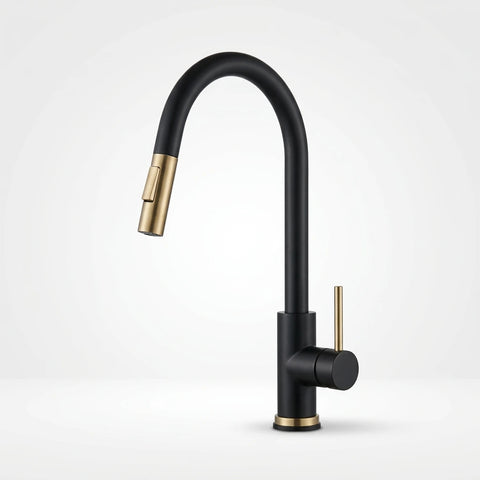
If you are shopping, ask for the same detail. The selected photo for Home And Tower's Brushed Gold Albert Nordic shows a hand beside the gold spout. A separate gallery graphic marks several spots along a dark faucet body and arch, but gives no distance from the metal at which a hand or cup would be detected. If you need to start a fill without touching the faucet, ask the seller for the Brushed Gold operating sheet. Look for where to put the mug, what happens when it leaves and how long the faucet will run if it stays there.
For a faucet that expects contact with the metal, see how touch kitchen faucets work. The touch and sensor kitchen faucet guide compares everyday use across the two types.